
Made in Boulder, Colorado
Made in Boulder, Colorado
What we changed, newest first. Each date is the day the change was made.
Practice
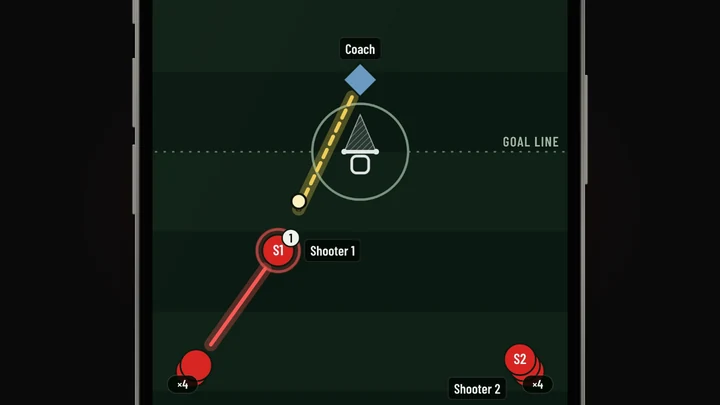
75 drills in the library now play as a moving picture, with the cones, the lines of players and the coach, in the practice plan, each player's plan, the run screen and the printed plan.
Playbook
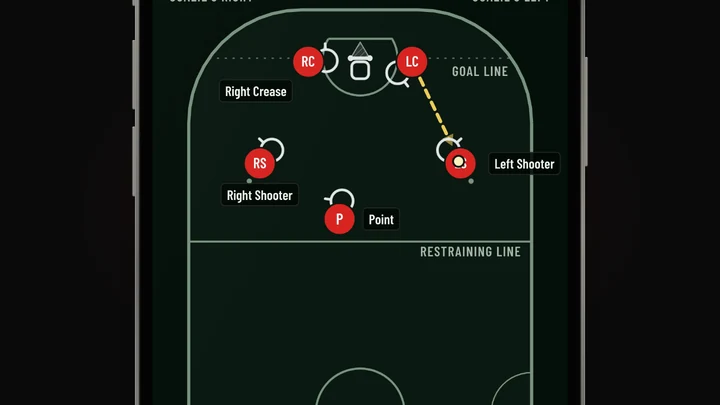
A boys’ team that plays box, or any team that plays sixes, can turn those formats on in Team words and start plays on a box floor or a sixes field, with ready-made plays for each.
Playbook
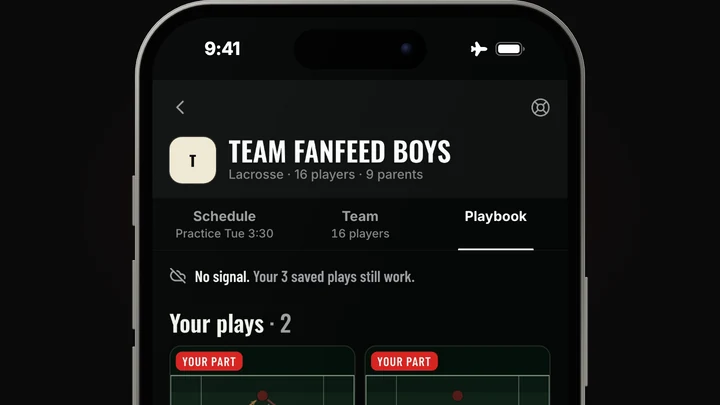
Plays are saved on the phone ahead of time, so they still open and run with no signal, and a player's "I've got it" goes to the coach when the signal comes back.
Schedule
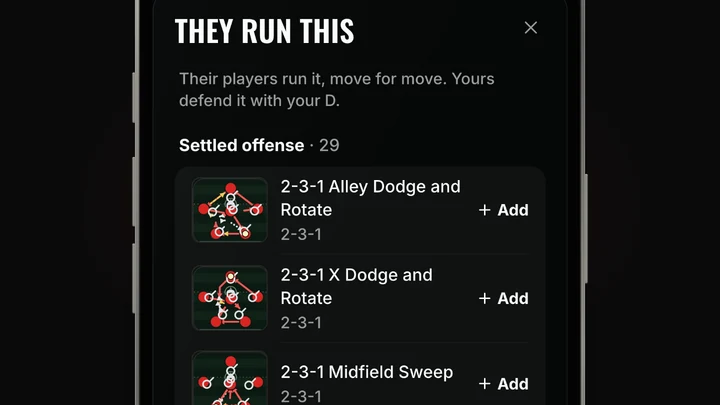
Each game has a coaches-only Scout page for the other team's plays and players, and one tap turns it into a game plan that tells each defender what they will see.
Playbook
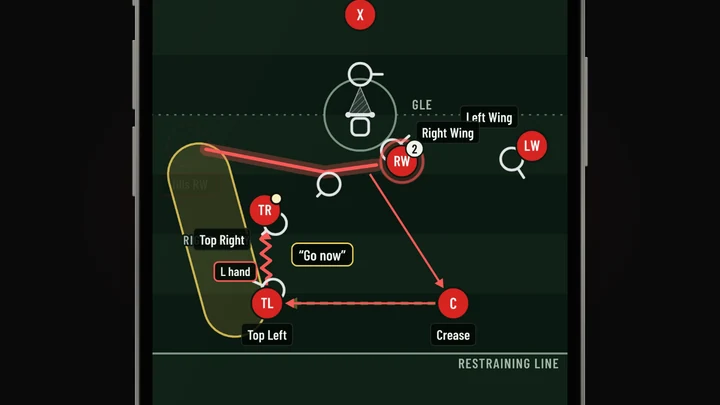
Shade a place, show where a player's eyes go, light up a player or add a label by tapping, and each player's own part tells them what is pointed out to them.
Playbook
Bend a run through up to three places, or hand a pass to a new catcher with the same timing, and the builder says if a later beat needs a fix.
Open the playbook: Bend a run, or change who catches a passPlaybook
Fade or hide the other team from More, and let your team's discs show jersey numbers instead of spot codes.
Open the playbook: Fade the other team, show jersey numbersTeam
Add a coach who can see the schedule, practice plans, playbook and scouting without changing anything or joining the chats.
Playbook
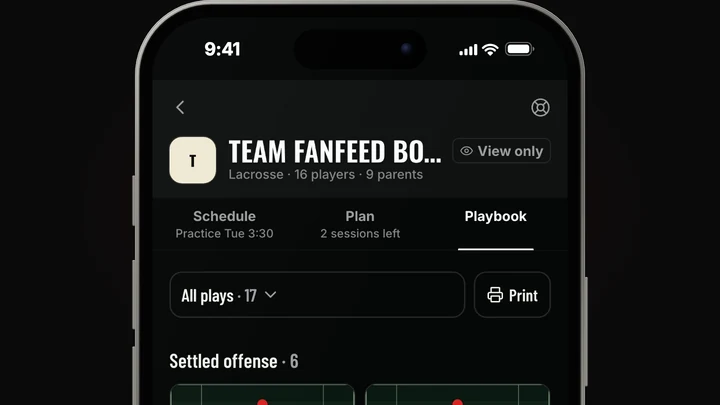
On a computer the space bar plays a play, the arrow keys step through it, and shift-click picks several players to move together.
Open the playbook: Faster on a computerPlaybook
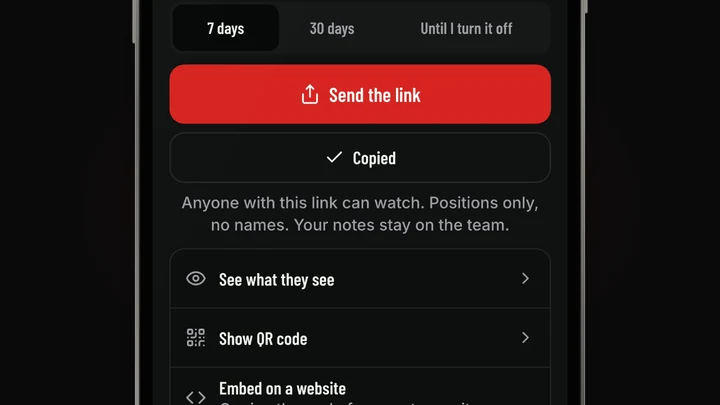
Send a play as a link, a QR code or an embed that shows positions and never names, or save it as a video made right on your phone.
Playbook
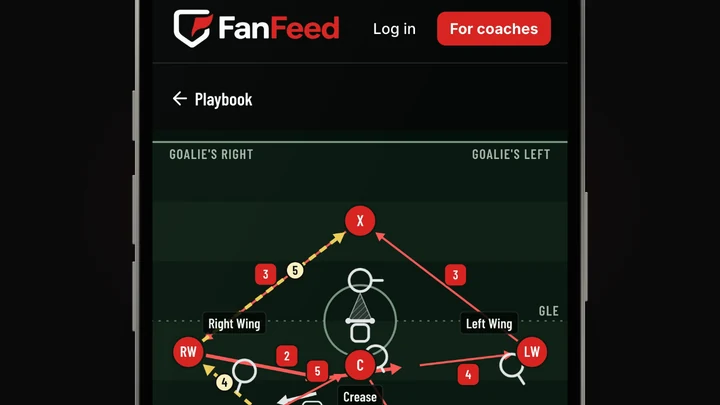
Every ready-made play is at fanfeed.me/playbook, drawn to scale and moving beat by beat, with no account needed.
Playbook
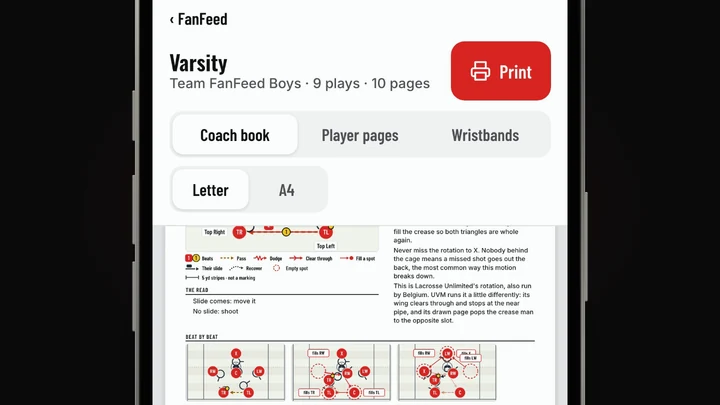
Print a coach book, each player's own pages, wristband cards and a call sheet, and keep named books you can send to the team at once.
Playbook
Send a play to everyone at once in three taps, and turn a whiteboard photo into a play in two.
Open the playbook: The whole team in three tapsPlaybook
Every play now runs beat by beat, each player gets their own part of it, and 166 ready-made plays come built in.
Open the playbook: Plays that moveApp
On a laptop the app now has a left rail with your team's sections, a full month calendar and the roster as a table, instead of a phone screen stretched wide.
Team
A head coach can keep parents off the team with one switch in Team info, and turning it back on brings every linked parent back.
Open Team HQ: Parents on or offTeam
The team's QR code opens the team's own page, where a player joins on one screen and then waits for the coach to confirm.
Recruiting
Each college program now shows its 2026-27 roster, so its needs count the players actually leaving, and a roster the school hasn't posted yet is marked projected.
fanfeed.me/colleges: College rosters move to 2026-27Practice
Every lift in the library now shows the movement itself, on its card, on the cue sheet and in gym mode.
Open the plan: Lifts that moveTeam
The roster now reads like a team sheet grouped by position, opens on who still has to join, and a tap on a player opens their card.
Open the roster: A roster you can runChat
A message with a slur, a sexual term or severe profanity is refused before it reaches the team, and the words stay in the sender's box to fix.
Open team chat: Team chat stays cleanApp
Tell Red, the team assistant, about a game or practice in a sentence and it drafts the event and the note to the team, and nothing is added or sent until you tap.
Practice
The practice builder shows the whole session on a clock with each block's start time, adds drills and plays from a library you can search, and Share with team tells the players.
Open the plan: Practice on a clockPractice
A player can do a shared lift one movement at a time and keep their own weights private, while the coach sees only who finished.
Schedule
Every event shows who is going, who can't and who hasn't answered, and one tap lists the players you need to plan around first.
Open the schedule: Who can make the gameTeam
A player who joins with the team link waits for the coach, who taps Confirm to give them their spot or Not my player to turn them away.
Open the roster: Confirm who joinsStats
Stats have their own section in Team HQ, where you add a game by photo, paste or typing, and see team totals and season leaders once it is verified.
Open stats: One place for statsGraphics
The wide team banner is now the first tile in the graphics studio, built from your kit, crest and colours with nothing to type.
Open graphics: Make the team bannerSchedule
Every team keeps its own time zone, which the head coach can change, so times, reminders and quiet hours follow the team's clock.
Open Team HQ: Your team's own time zoneTeam
A player already on one team can join a second one from its claim link with the account they already have.
App
A life ring in Team HQ opens one sheet for what went wrong, says exactly what is sent with your words, and a person reads every report.
Playbook
Take a photo of your whiteboard and FanFeed drafts it as a play for you to check and edit.
Open the playbook: A whiteboard photo becomes a playStats
Take a photo of the paper stat sheet and it becomes a box score for you to check before it saves.
Open stats: Snap the stat sheetPractice
Coaches can turn on a four-tap check-in before practice, and only the coaches see how each player is feeling.
Open the plan: A check-in before practiceSchedule
Import a season from a file, or paste a schedule and let Red read it, and the team gets one notification for all of it.
Open the schedule: Bring in the whole seasonSchedule
Players and parents mark the days a player will miss, the coach sees who's out for each event, and one tap nudges everyone who hasn't answered.
Open the schedule: Who's outRecruiting
The college directory now has crests, a search, and its own page for every men's and women's team.
fanfeed.me/colleges: Every college program, boys and girlsPractice
Build a practice from timed blocks, keep your own drills, and lay out the week around your games.
Open the plan: Plan your practicesStats
Tally stats from the sideline by tapping a stat and a player, let players send in their own lines, and approve them in one place.
Open stats: Keep the book from the sidelineChat
Make a chat for a position group or the captains, choose who is in it, and rename or archive it later.
Open team chat: Your own chatsGraphics
Pick a game and make a game-day graphic in your team's colours with your crest, then save it or share it.
Open graphics: The graphics studioChat
A play dropped into team chat opens on each player's phone with their own spot lit and everyone else dimmed.
Open team chat: Plays inside team chatChat
In team chat anyone can report a message, block someone or mute a chat, and a coach can take down any message.
Open team chat: Report, block and muteSchedule
Every game has one screen with the time, the field and directions, the weather at the start and a countdown.
Open the schedule: Game day on one screen